
The HUD is fully customizable.
Main hotbar
Use the page up/page down keys to cycle between inventory row 1 & 2 to be used as main hotbar.
Useful for example if you want to toggle base tools to your 1-8, melee weapons on your mage, etc.
Secondary hotbar
Through Keybinds, you can bind keys to every slot of second inventory row. Each mapped slot will be shown as a secondary hotbar.
HUD Layout
From in-game menu -> HUD Layout, you can move any interface elements on screen.
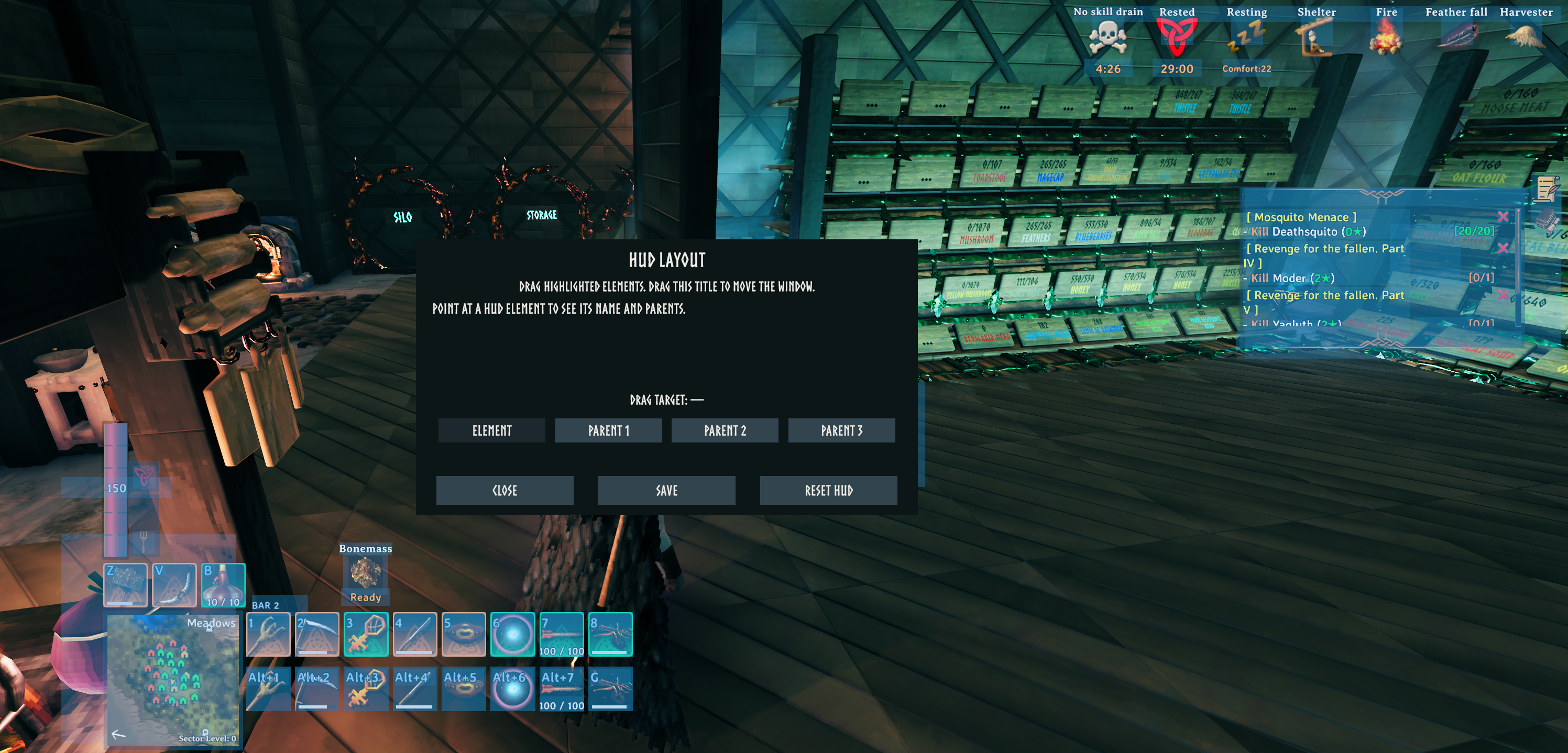
With Element selected, you can move that specific element, such as a hotbar slot.
Parent 1 will typically drag the entire hotbar.
Experiement with parent 1-3 to find the group level you wish to move.
Clicking CLOSE will restore any current changes.
Clicking SAVE will save the current changes.
Clicking RESET HUD will restore everything to its default.